Click the image to enlarge, right click and select "Save Picture As.." (if you are using IE browser) or "Save Image As.." (if you are using Firefox browser), and save it on your local drive. That's it.


Step 1
Locate the song’s page from imeem.com. You have to log-in, so you can listen the song completely.

Step 3
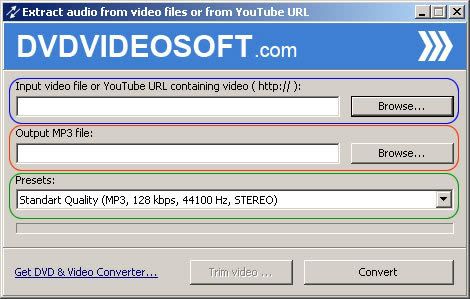
Convert the downloaded flv file to mp3. I suggest to use the DVDVIDEOSOFT's Free Video to Mp3 Converter. Download and install the software. To convert the file, click on Browse under Input video file, you can also specify the file output location if you want, and click on Convert.
That’s it.